
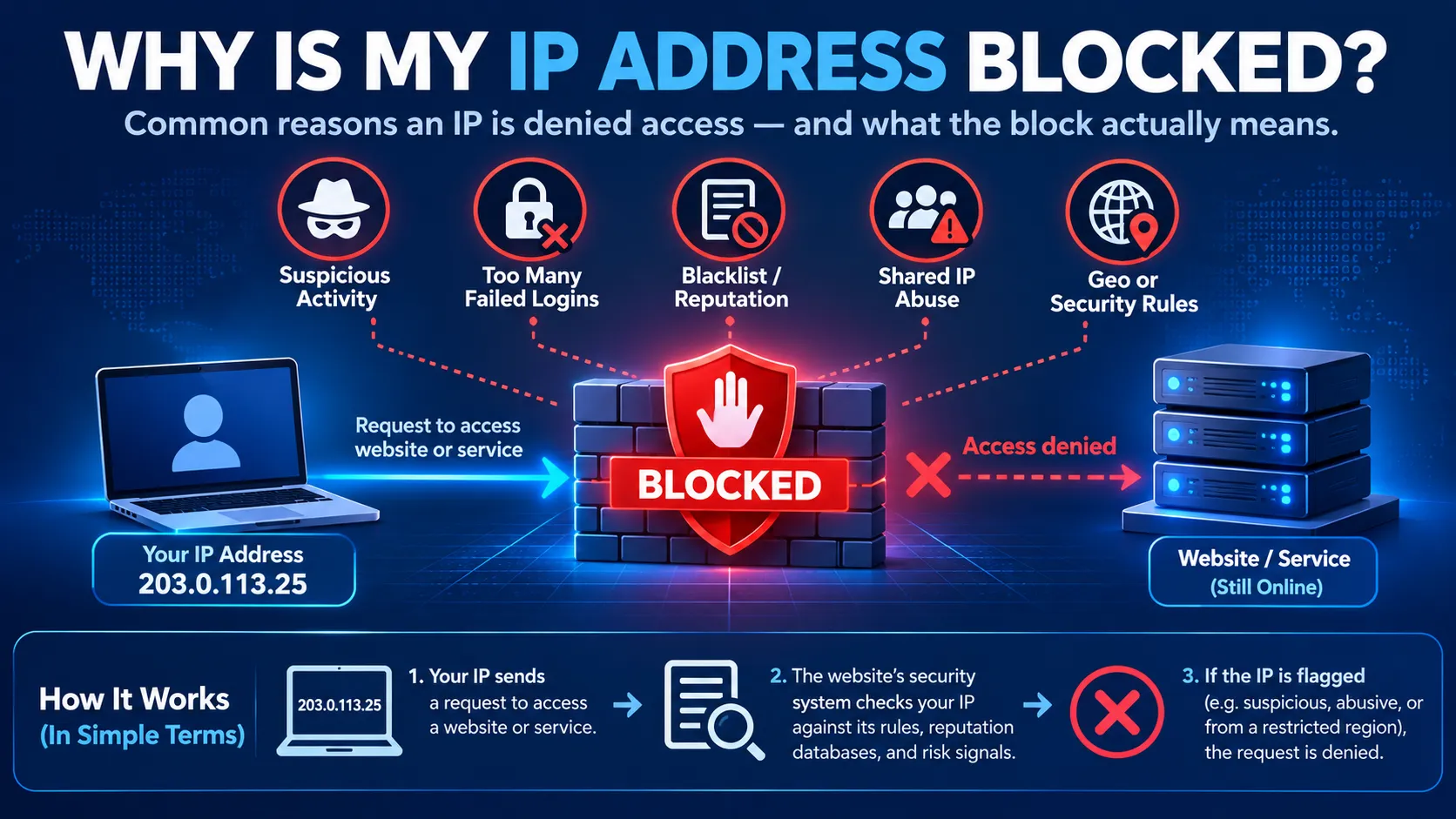
Your IP address may be blocked because a website applies an access rule, detects unusual activity or uses reputation data associated with your connection. However, an access-denied message does not always mean your IP is blocklisted. Account permissions, request limits and service failures can also prevent access.
The first step is to identify what failed, which system made the decision and what evidence is available. That determines whether you should contact the website owner, your network administrator, your service provider or a blocklist operator.
Is Your IP Address Actually Blocked?
Start with the exact error message. A website displaying 403 Forbidden has refused the request, but the status alone does not identify the reason. An application permission rule can produce the same status as an IP-based restriction.
Similarly, 429 Too Many Requests indicates rate limiting. It does not establish that the service has permanently blocked your IP address. Limits can apply to an account, session or another grouping of requests. A timeout provides even less certainty. A connection can fail without any deliberate block. Before searching for an “IP blacklist removal” service, record the error and determine which category it belongs to.
Symptoms, Checks and Who to Contact
| Symptom | Possible explanation | Useful verification | Who can help |
|---|---|---|---|
| One website returns 403 | Application permissions, an access rule or a security filter | Save the response and request ID; ask for the matching server or security event | Website or application owner |
| Cloudflare error 1020 | A website firewall rule denied access | Provide the Ray ID, screenshot and timestamp | Website owner |
| An API returns 429 | Request rate or quota exceeded | Check response headers, documented limits and client retry behaviour | API owner or application team |
| Email rejection names a blocklist | The sending server’s address or domain is listed | Read the full rejection and check the named operator’s official lookup | Email provider or server administrator |
| Browser reports a DNS lookup failure | Name resolution failed | Check the hostname, resolver response and service status | DNS or network administrator |
| Connection times out | Filtering, routing, connectivity or service failure | Compare affected services and examine network and server logs | Network team, ISP or service owner |
| Website returns 504 | A gateway did not receive an upstream response in time | Check gateway and upstream service health | Website or hosting operator |
Cloudflare documents error 1020 as a firewall-rule denial and recommends that the website owner investigate the corresponding security event. A 504, by contrast, describes an upstream response timeout. These observations narrow the investigation. They do not replace the logs of the system handling the request.
Common Reasons an IP Address May Be Blocked
Website or firewall access rules. A website can restrict traffic according to its own security and access policies. A rule may concern an address, a range, a requested resource or characteristics of the request.
The decision may occur at the application, origin server or an intermediary security service. Cloudflare’s documentation describes several sources of 403 responses, including origin-server permission rules and IP deny rules. This means a public reputation lookup cannot explain every access denial. The relevant evidence may exist only in the website’s own logs.
Too many requests
Repeated requests can trigger a service’s limits, particularly when an application retries failures immediately. A 429 response may include a Retry-After header describing how long to wait. Follow that instruction when supplied, and check the service’s documented usage limits. The response does not necessarily identify an IP-based limit. A service can count requests using authentication credentials or other information.
Reputation or blocklist information
Some services use external reputation data when deciding whether to accept traffic. Investigate the specific dataset named in the rejection or confirmed by the service owner. Different lists serve different purposes. For example, Spamhaus explicitly warns against using its Policy Blocklist, or PBL, to block access to web applications. A PBL listing is not a general declaration that a user is malicious.
For the broader explanation of reputation signals and their effects, see What Is IP Address Reputation?.
A shared public connection
Several users or devices may reach a service through the same public IPv4 address, such as an office gateway, VPN exit or provider-managed connection. An IP-based rule can therefore affect people who did not cause the original problem. Investigators need to establish which public address the affected service actually observed and how it relates to the local device.
A device’s private address, such as 192.168.1.20, is usually not the address an external website sees through a NAT gateway.
How to Investigate a Suspected IP Block
1. Capture the error and timing
Save:
- The affected website, application or email destination.
- The exact error text or rejection message.
- The date, time and timezone.
- Any request ID, Ray ID or reference number.
- Whether the failure is consistent or intermittent.
- Whether a VPN, proxy or corporate gateway was in use.
Share relevant evidence through the provider’s support channel. Remove passwords, session cookies, access tokens and unrelated personal information.
2. Identify the address relevant to the failure
For website access, investigate the source address associated with the failed request. For rejected email, investigate the sending mail server’s address identified in the rejection—not automatically your laptop’s address.
The distinction also matters behind reverse proxies. Website operators should use their platform’s documented method for retrieving client-address information. Cloudflare, for example, provides client IP information through headers such as CF-Connecting-IP.
Keep the address tied to the event’s timestamp. The address used now may differ from the one used when the failure occurred.
3. Determine the scope
Check whether the problem affects one resource, one service or several unrelated services. With permission, a controlled comparison from another connection can provide useful context. Keep other conditions as similar as possible.
If access works elsewhere, the result suggests a difference related to the connection or request context. It does not prove that the original IP is blocklisted: DNS, routing, proxy behaviour and security policies may also differ. Use the comparison to support diagnosis and a review request.
4. Check the relevant service logs
Website operators should locate the failed request using its timestamp and identifier, then inspect the decision that caused the denial.
For Cloudflare error 1020, the documented process uses the Ray ID or client IP to locate the security event. The owner can then assess the rule responsible. Visitors generally cannot inspect these logs themselves. A precise support request gives the owner something actionable to investigate.
5. Check a named blocklist when the evidence points to one
Use the official checker for the operator identified in the rejection. Record the listing type and follow its explanation.
Spamhaus directs users to its IP and Domain Reputation Checker for listing information and removal guidance. Its instructions vary by dataset, so follow the process attached to the actual listing. A clean result from one checker only answers a question about that operator’s data. It does not establish that every website will accept your traffic.
How to Restore Access
The remedy should match the confirmed cause.
| Confirmed cause | Appropriate response |
|---|---|
| Incorrect application permissions | Ask the application administrator to review the account or resource permissions |
| A website rule incorrectly blocks legitimate traffic | Request a review with the event details; the owner can make a targeted correction |
| Rate limit exceeded | Reduce request frequency, respect retry instructions and correct excessive retry behaviour |
| Confirmed abuse-related listing | Resolve the underlying activity and follow the listing operator’s removal procedure |
| Provider-controlled sending address is listed | Work with the email or hosting provider responsible for that address |
| DNS or routing failure | Correct the relevant network configuration or service problem |
| Gateway or upstream outage | Restore the affected service and verify recovery |
For Spamhaus SBL listings, end users are directed to their administrator or service provider; the responsible provider handles the remediation and removal process.
There is no universal “unblock my IP” action that changes every website’s decisions.
Practical Example: An Office Cannot Access a Partner Portal
Consider this illustrative scenario. Everyone in an office receives 403 responses from a partner portal, while unrelated websites work normally. The team suspects its public IP has developed a bad reputation.
They collect the error timestamp, request ID and office public address. The partner checks its logs and finds that an access rule still contains the office’s previous public address. The partner verifies the new connection details and updates the approved rule. Access returns.
A blocklist removal request would not have corrected this problem. The useful evidence was the service’s access decision and the change in network configuration.
Why Changing Your IP May Not Solve the Problem
Changing an address leaves several possible causes untouched. An account restriction still applies to the account. An application that generates excessive requests can trigger another limit. A DNS or service outage may continue regardless of the source address.
Changing a business connection can also require updates to partner allowlists and monitoring records. Restore access by resolving the confirmed cause, then verify the service from the intended connection. For the operational importance of stable network identifiers, see What Is Network Identity and Why Does It Matter?.
Verify That the Problem Is Resolved
Repeat the action that originally failed: open the required portal, make an authorised API request or send a legitimate test message.
Where available, confirm the result in service logs. If a listing was removed but email delivery still fails, inspect the new rejection rather than assuming the original cause remains unchanged.
Spamhaus notes that receiving networks may take time to reflect removals and advises checking whether delivery problems affect all destinations or only particular networks. Record what caused the issue, who corrected it and what evidence confirmed recovery.
Conclusion
An inaccessible service does not automatically mean your IP address is blocklisted. Start with the error, identify the address and system involved, and use logs or official listing information to establish the cause. The correct response may be a permission review, a rate-limit adjustment, abuse remediation or a network repair.
Clear evidence makes it easier to reach the right operator and restore access without unnecessary changes.
Frequently Asked Questions
1. Does 403 Forbidden mean my IP is blacklisted?
No. It means the request was refused. Application permissions, security rules and IP restrictions are among the possible explanations.
2. How can I check whether my IP is blocklisted?
Start with the rejection message. If it names a blocklist, check the relevant address using that operator’s official lookup and read the listing details.
3. Does a 429 response mean a permanent IP ban?
No. It indicates rate limiting. Check the service’s instructions and any Retry-After header.
4. Can another user cause my shared IP to be restricted?
An IP-based rule can affect multiple users sharing the same public connection. The service’s logs are needed to determine what triggered the rule.
5. Will restarting my router unblock my IP?
There is no guarantee that restarting will change your public address or resolve the cause. It will not correct an account permission problem or an external service outage.
6. Can my ISP unblock me from every website?
No. Your ISP can investigate its connection and address-related issues, but individual services control their own access decisions.
7. How long does it take to restore access?
It depends on the cause, the operator’s review process and any update delays. There is no reliable universal waiting period.
References
- MDN — 403 Forbidden
- MDN — 504 Gateway Timeout
- RFC 6585 — Additional HTTP Status Codes
- Cloudflare — Error 1020
- Cloudflare — Error 403
- Cloudflare — HTTP Request Headers
- Spamhaus — DNSBL Usage Guidance
- Spamhaus — Contact and Removal Guidance
- Spamhaus — SBL FAQs
- Spamhaus — General FAQs